
At the end of every month, thousands of HR managers and IT administrators go through the same tedious ritual: walking up to biometric devices with a USB pen drive, pulling raw .dat or .csv files, fixing broken date formats in Excel, and manually uploading sheets into payroll software.
When you manage a single office, this is a minor annoyance. When you manage a distributed workforce across multiple branches, warehouses, or a large Manufacturing Unit / Plant, manual attendance reconciliation becomes an operational bottleneck that leads to payroll delays, overtime calculation errors, and compliance risks.
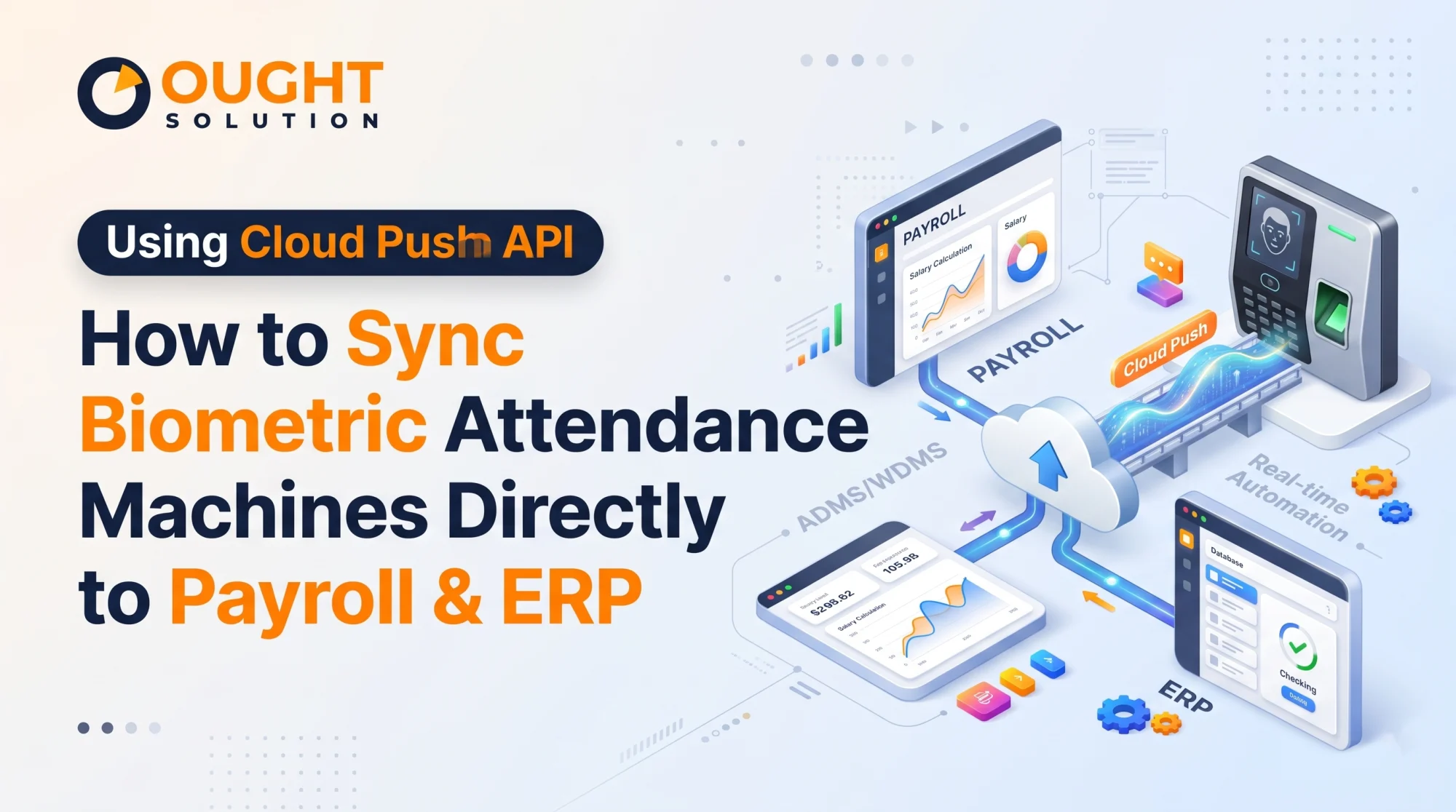
The solution isn’t buying more expensive hardware—it’s changing how your devices communicate with your software. By implementing a biometric attendance cloud push API payroll integration, your attendance terminals automatically stream punch data to your central server the exact millisecond an employee scans their face, fingerprint, or RFID card.
Here is the complete architectural breakdown of how Cloud Push technology works, why it outperforms legacy polling methods, and how to integrate it directly with your ERP or payroll engine.
Pull SDK vs. Cloud Push API: Why Legacy Syncing Fails
Historically, biometric attendance systems relied on a Pull SDK architecture. In a Pull setup, a local desktop computer running attendance software had to sit on the same Local Area Network (LAN) as the biometric machines. The computer would periodically "ping" each device, open a TCP/IP port, and download the punch logs.
| Feature | Legacy Pull SDK (LAN/Static IP) | Modern Cloud Push API (ADMS / HTTP) |
|---|---|---|
| Data Direction | Server requests data from the device on a schedule | Device pushes data to the server instantly upon punch |
| Network Requirement | Requires Static IP, VPN, or complex Port Forwarding | Works on any standard internet connection (Wi-Fi, LAN, 4G SIM) |
| Multi-Location Scalability | Poor; breaks easily across remote sites | High; 1 to 1,000+ remote devices point to one central URL |
| Sync Latency | Batch sync (every few hours or end-of-day) | Real-time (under 2 seconds per transaction) |
| Firewall Risk | High (requires inbound ports open at branch offices) | Low (uses standard outbound HTTP/HTTPS requests) |
With a Cloud Push API (often powered by ADMS—Automatic Data Master Server—or native HTTP/HTTPS Webhooks built into modern firmware), the biometric machine acts as a web client. You simply configure the machine with your cloud server’s domain name or IP address and port. Whenever a punch occurs, the device initiates an outbound HTTP POST request directly to your API endpoint.
How the Cloud Push Architecture Works (Step-by-Step)
To achieve a seamless biometric attendance cloud push API payroll integration, four layers work together in real time:
1. The Hardware Layer (Biometric Terminal)
An employee marks attendance using facial recognition, fingerprint, palm vein, or RFID. The device validates the template locally in milliseconds, stores a backup log in its internal flash memory, and formats an HTTP packet containing the Device Serial Number (SN), Employee ID (PIN), Timestamp, and Verification Mode.
2. The Listener Endpoint (Middleware / API Gateway)
Your cloud server hosts a lightweight listener endpoint (commonly built in PHP, Node.js, or Python). The endpoint performs three critical tasks:
Handshake & Heartbeat: Responds to the device’s
/iclock/cdataor webhook ping to confirm the server is alive.Authentication: Verifies that the incoming Device Serial Number is registered and authorized in your database.
Acknowledgement (
OKResponse): Returns an immediateHTTP 200 OKresponse to the biometric machine. If the internet drops and the machine doesn't receive anOK, it holds the punch in its local queue and automatically retries once connectivity is restored—guaranteeing zero data loss.
3. The Shift & Rule Engine (Database Processing)
Raw biometric logs are just timestamps—they are not yet payroll-ready. Once the raw punch lands in your MySQL or PostgreSQL database, your business logic layer processes the raw timestamps against company policies:
First-In / Last-Out (FILO) or Every-Punch pairing: Filters out duplicate punches made within 2 minutes (debounce logic).
Night Shift Cross-Day Handling: Correctly pairs a
20:00check-in on Monday with an05:00check-out on Tuesday as a single shift rather than two incomplete days.Grace Period & Late Marks: Automatically flags late arrivals (e.g., 3 late marks = 0.5 day LOP) and calculates overtime hours based on shift rosters.
4. The ERP & Payroll Sync
Once the attendance engine computes the daily status (Present, Half-Day, Absent, Overtime Hours, Week-Off), it pushes the clean, structured data directly into your ERP or payroll tables—or triggers a webhook to third-party HRMS platforms—ready for one-click salary disbursement.
Sample JSON Payload & API Processing Workflow
When you use our custom middleware or a webhook-enabled biometric system, the data arriving at your ERP endpoint looks clean and structured like this:
{
  "event_type": "attendance_log",
  "device_sn": "OSBIOM202609881",
  "location_id": "PLANT_UNIT_01",
  "employee_code": "EMP1042",
  "punch_time": "2026-11-15 08:58:14",
  "verify_mode": "FACE",
  "in_out_status": "CHECK_IN",
  "work_code": "0"
}
Sample PHP Endpoint Logic for Capturing Real-Time Punches
If your ERP or custom portal runs on a Linux/PHP/MySQL stack, here is how a clean API listener captures and deduplicates incoming attendance pushes:
<?php
header("Content-Type: application/json");

// 1. Capture raw payload from Biometric Cloud Push / Middleware
$rawPayload = file_get_contents("php://input");
$data = json_decode($rawPayload, true);

if (!$data || empty($data['device_sn']) || empty($data['employee_code'])) {
    http_response_code(400);
    echo json_encode(["status" => "error", "message" => "Invalid payload"]);
    exit;
}

// 2. Database Connection (PDO)
$pdo = new PDO("mysql:host=localhost;dbname=erp_payroll;charset=utf8mb4", "db_user", "db_password", [
    PDO::ATTR_ERRMODE => PDO::ERRMODE_EXCEPTION
]);

// 3. Insert with Deduplication (Prevents duplicate retries from network flickers)
$stmt = $pdo->prepare("
    INSERT IGNORE INTO biometric_raw_logs
    (device_sn, employee_code, punch_time, verify_mode, in_out_status, created_at)
    VALUES (:sn, :emp, :ptime, :vmode, :status, NOW())
");

$stmt->execute([
    ':sn'     => $data['device_sn'],
    ':emp'    => $data['employee_code'],
    ':ptime'  => $data['punch_time'],
    ':vmode'  => $data['verify_mode'] ?? 'FP_FACE',
    ':status' => $data['in_out_status'] ?? 'AUTO'
]);

// 4. Return HTTP 200 OK so the biometric device clears its queue
http_response_code(200);
echo "OK";
?>
5 Critical Challenges to Solve Before Going Live
Integrating hardware with payroll software requires more than just capturing timestamps. Make sure your integration architecture accounts for these five real-world edge cases:
Offline Buffer & Auto-Resync: Internet connections at remote sites and industrial plants drop frequently. Ensure your biometric hardware has ADMS push-queue firmware that stores 100,000+ logs locally and automatically flushes them in chronological order once the network reconnects.
Centralized User Enrollment: You shouldn't have to enroll an employee's fingerprint or face at every gate. With a bidirectional Cloud Push API, enrolling a worker on one master device uploads their biometric template to the cloud server, which then automatically distributes that template to all authorized branch machines.
Canteen & Access Control Separation: Many enterprises use the same hardware ecosystem for door access control, canteen meal tokens, and shift attendance. Your API middleware must filter logs by
device_snorfunction_keyso a lunch punch in the canteen isn't accidentally logged as an early shift check-out in payroll.Timezone & NTP Synchronization: If a biometric machine's internal CMOS battery weakens or drifts by 15 minutes, employees get unfairly marked late. Configure your Cloud Push server to enforce automatic NTP (Network Time Protocol) sync during every device heartbeat.
Overtime & Compoff Guardrails: Never feed raw overtime hours directly into net pay without an approval flag. Configure your ERP integration so calculated overtime sits in a "Pending Supervisor Approval" queue before locking into the monthly payroll run.
Ready to Automate Your Attendance-to-Payroll Pipeline?
Whether you are deploying brand-new Face & Fingerprint terminals across a Manufacturing Unit / Plant, or you want to connect your existing eSSL, ZKTeco, Realtime, Mantra, or Biomax devices to a custom ERP, Ought Solution builds end-to-end hardware and software bridges tailored to your workflow.
We provide:
Cloud Push Biometric Hardware: Pre-configured 4G, Wi-Fi, and LAN biometric attendance and access control terminals with native ADMS/Cloud Push support.
Custom API Middleware & Webhooks: Secure cloud listeners that convert raw hardware protocols into clean REST APIs for your ERP, HRMS, or custom PHP/MySQL and enterprise web applications.
Turnkey Canteen & Shift Management: Unified ecosystems covering rotational shifts, contractor workforce tracking, gate access control, and automated payroll calculation.
Contact Ought Solution Today to schedule a free technical consultation and live API demo for your organization.
Ought Solution Admin is the technical editorial and solutions architecture desk at Ought Solution, a global B2B IT consulting, custom ERP software, and biometric hardware integration firm. Drawing from hands-on deployments across Manufacturing Units / Plants, healthcare diagnostics, educational campuses, and corporate…
